Convert RAWSim-O layout to PRP Layout.
Here we will convert a RAWSim-O *.xinst file into PRP JSON files:
- Initial state file. It contains the initial positions of the pods.
- Costs: They contain shortest distances from a station to a place, when a robot carries a pod.
- xy Layout file. It contains x-y positions of places and picking-station queues and can be read by
prp.xymodules.
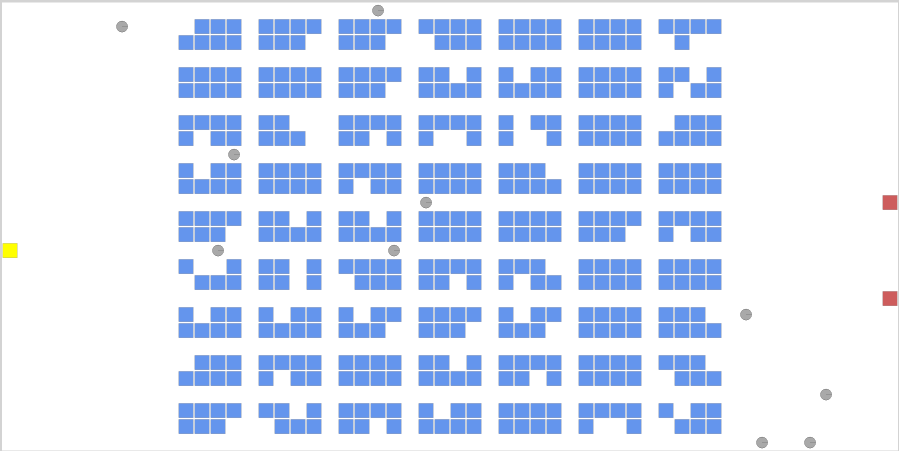
RAWSim-O Layout
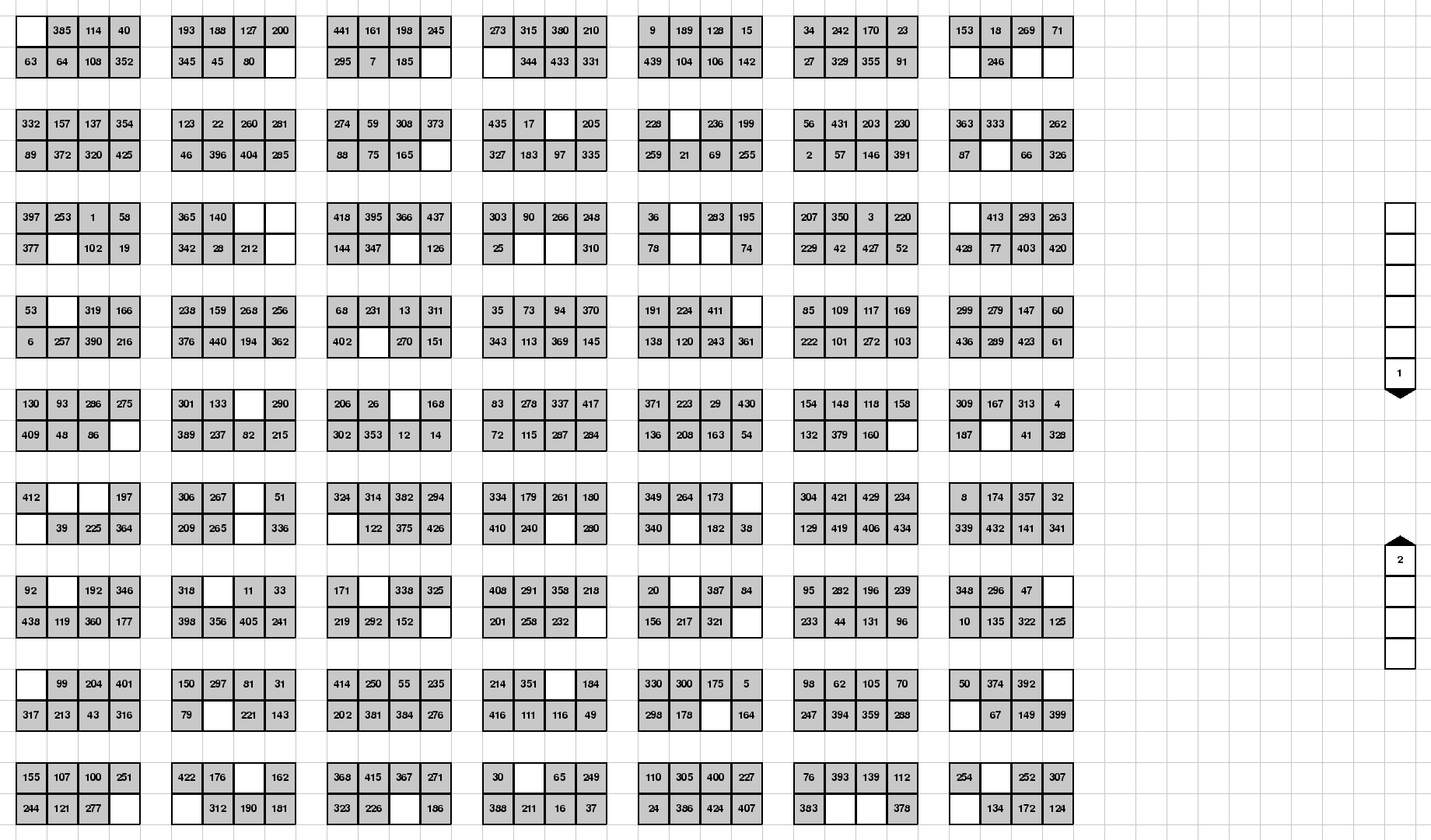
PRP xy layout
We include all the required packages.
import sys
sys.path.append('../')  # noqa: E402
import prp.recorder as recorder
import prp.xy as xy
import prp.utils as utils
import prp.rawsimo as rawsimo
We define the path to the RAWSim-O file
LAYOUT_XML_FILE = "../data/rawsimo/1-1-2-10-441-b-slow-pick-cap-20.xinst"
We write the resulting PRP (Pod Repositioning Problem) JSON files to:
# Where to store resulting files.
LAYOUT_FILE = "../data/504-layout.json"
INITIAL_STATE_FILE = "../data/504-initial-state.json"
COSTS_FILE = "../data/504-costs.json"
For the PRP mathematical model, we need to define the size of the station queues explicitly. For our problem, we choose to use different queue sizes.
NQ1 = 6  # Maximal queue length at the station 1.
NQ2 = 4  # Maximal queue length at the station 2.
Load RAWSim-O file. And get a corresponding warehouse model. The conversion may take several seconds, because the computation is computation intensive.
warehouse = lg.get_warehouse({1: NQ1, 2: NQ2})
We can already store the initial state of the mathematical model and the costs.
utils.create_missing_directories_of_file(INITIAL_STATE_FILE)
with open(INITIAL_STATE_FILE, 'w') as outfile:
print("Store costs...")
utils.create_missing_directories_of_file(COSTS_FILE)
Finally we can create a PRP layout, where the places and stations have cartesian xy-coordinates.
The coordinates of the places are obtained automatically from the RAWSim-O file, but the stations – we need to create them manually. We first create the stations outside of the layout.
# Add stations. They station will be moved on the layout in such a way, that its head has the same position as the
# the station in RAWSim-O files.
Then we prp.LayoutGrpah.get_xy_layout() will move these station on top of
the RAWSim-O stations. In the resulting xy-layout the coordinates of the heads of the XYStations are the same as the positions of the stations in the RAWSim-O file.
# Add stations. They station will be moved on the layout in such a way, that its head has the same position as the
station1 = xy.XYStation(1, hcoord=xy.Coord(0, 0), tcoord=xy.Coord(0, NQ1 - 1))
We can now store the xy PRP Layout.
layout = lg.get_xy_layout([station1, station2])
# Store layout to files.